

 Loading...







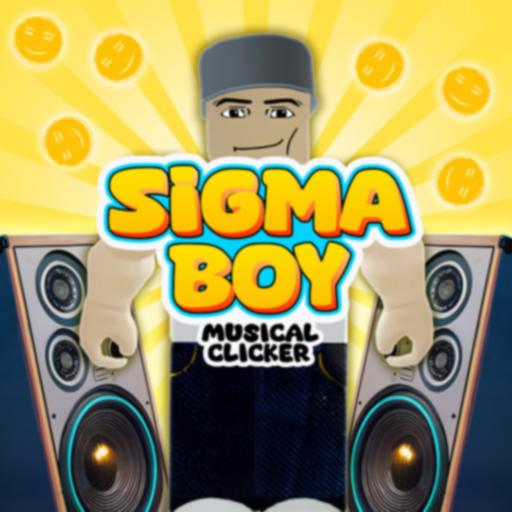
Sigma Boy: Musical Clicker is a fast and funny clicker game where you tap to earn points, unlock upgrades, and push the character through new stages and transformations. Since the playable game is already on this page, you can jump in right away above, then use the guide below to understand the controls, upgrade strategy, and what makes this browser clicker game fun for quick sessions.
The rules are simple from the first second, but the game becomes more satisfying when you start balancing active tapping with stronger upgrades. That makes it a good choice for players who enjoy idle games, clicker progress, and light musical energy without needing complicated controls.
About Sigma Boy: Musical Clicker
Sigma Boy: Musical Clicker is a browser-based clicker and idle-style game built around tapping, upgrading, and evolving through new visual stages. The main goal is simple: keep clicking Sigma Boy to earn points, spend those points on upgrades, and speed up your progress so each new form and stage comes faster.
Gameplay
The gameplay loop is easy to understand. You tap the character to build points, then use those points to buy power-ups that improve how quickly you earn more. Some upgrades make manual taps stronger, while others add auto-click style progress so the game keeps moving even when you slow down.
Part of the fun comes from the steady sense of growth. As you continue, Sigma Boy changes, the setting evolves, and the game starts to feel bigger than a basic tap toy. It is still relaxing and accessible, but it gives players enough progression to keep chasing the next upgrade.
Platforms
Sigma Boy: Musical Clicker is mainly available as an online browser game. It is commonly described as playable on desktop, mobile, and tablet browsers, which makes it easy to start on different devices. On this page, you can play it directly without needing a separate install.
How to Play Sigma Boy: Musical Clicker
Your goal is to tap Sigma Boy, earn points, and spend them wisely so progress becomes faster over time. Early upgrades matter a lot because they help you build momentum and unlock later stages more easily.
- Start tapping Sigma Boy to collect points or coins.
- Use your earnings to buy upgrades from the shop.
- Boost your clicking power and automatic income whenever possible.
- Keep progressing until you unlock new forms, scenes, or stages.
- Repeat the cycle and build faster growth with each upgrade choice.
Controls
- Mouse click: Tap Sigma Boy and interact with upgrade buttons on desktop
- Touch tap: Tap the character and menu items on phones or tablets
The controls are very easy, so the real challenge is deciding when to spend points and which upgrades help you most.
Tips for Playing Sigma Boy: Musical Clicker
Clicker games are simple on the surface, but smart upgrade choices can make your progress much smoother and faster.
- Buy auto-click upgrades early: Passive income helps the game keep growing even when you stop tapping nonstop.
- Balance manual and idle boosts: A good mix usually feels better than focusing only on one style.
- Do not waste all points at once: Sometimes saving for a better upgrade gives stronger long-term value.
- Keep tapping during upgrade jumps: Manual clicks still help a lot when you are close to the next unlock.
- Watch for momentum: Once your earnings rise, the game becomes more about smart scaling than fast clicking.
Features of Sigma Boy: Musical Clicker
- Simple tap-to-progress clicker gameplay
- Upgrade system for faster growth
- Idle-style progression through auto-click boosts
- Character evolution and changing stages
- Playable in a browser on compatible desktop and mobile devices
- Easy controls that suit casual players
Download Sigma Boy: Musical Clicker on Android and iOS
No verified exact-match official listing for Sigma Boy: Musical Clicker was found on the Google Play Store or Apple App Store. There is a separate Google Play app called Sigma boy - clicker games, but it is not the same exact title as this browser game, so it should not be treated as a verified official match.
If you want strong mobile alternatives with similar tapping, upgrading, and idle-style progress, these are better verified options:
- Cookie Clicker — Available on Google Play. A strong alternative for players who enjoy simple tapping, upgrades, and long-term idle progress.
- Capybara Clicker — Available on Google Play and App Store. A close fit if you want a light, funny clicker with quick upgrades and casual pacing.
- Tap Titans 2 — Available on Google Play and App Store. A good choice if you want a bigger idle-clicker game with more progression systems and nonstop tapping rewards.
Similar Games to Sigma Boy: Musical Clicker
If you enjoy tapping, upgrades, and funny progression loops, these internal picks are the closest matches from the approved game list:
- Cookie Clicker — Similar because it is also built around tapping, upgrades, and idle-style growth.
- Capybara Clicker — Similar because it offers another light and funny clicker experience with simple progression.
- Duck Duck Clicker — Similar because it focuses on repeated taps, upgrades, and casual idle fun.
- Italian Brainrot Clicker — Similar because it mixes meme energy with a clicker progression loop.
Watch Sigma Boy: Musical Clicker Gameplay
Want to see how the game works before you start? This gameplay video gives you a quick look at the action, controls, and fun style of the game.
Watching a gameplay video can help new players learn faster and feel ready to play.
FAQ About Sigma Boy: Musical Clicker
Is Sigma Boy: Musical Clicker free to play?
It is commonly offered as a free online browser game. Since the game is already playable on this page, you can start without treating it like a separate download.
How do you play Sigma Boy: Musical Clicker?
You tap Sigma Boy to earn points, then spend those points on upgrades that improve manual clicking power or automatic progress.
Is Sigma Boy: Musical Clicker an idle game?
It has idle-style features because upgrades can add automatic progress, but it also keeps the active tapping part important, especially early in the game.
Can I play Sigma Boy: Musical Clicker on mobile?
The browser version is commonly described as playable on phones and tablets through supported mobile browsers. That is different from confirming an official standalone app.
What are the controls in Sigma Boy: Musical Clicker?
The game mainly uses simple click or tap controls. On desktop, you use the mouse. On mobile devices, you use touch input.
What kind of game is Sigma Boy: Musical Clicker?
It is a clicker and idle-style browser game with upgrades, steady progression, and a playful musical theme.
Conclusion
Sigma Boy: Musical Clicker is a cheerful browser clicker game that keeps things simple while still giving players a satisfying upgrade loop. If you like tapping games that grow quickly and reward smart spending, this one has an easy rhythm to enjoy.
Because the game is already playable on this page, you can jump straight in and start building progress right away. The guide above should help you understand the controls, upgrades, and similar games if you want more clicker fun afterward.