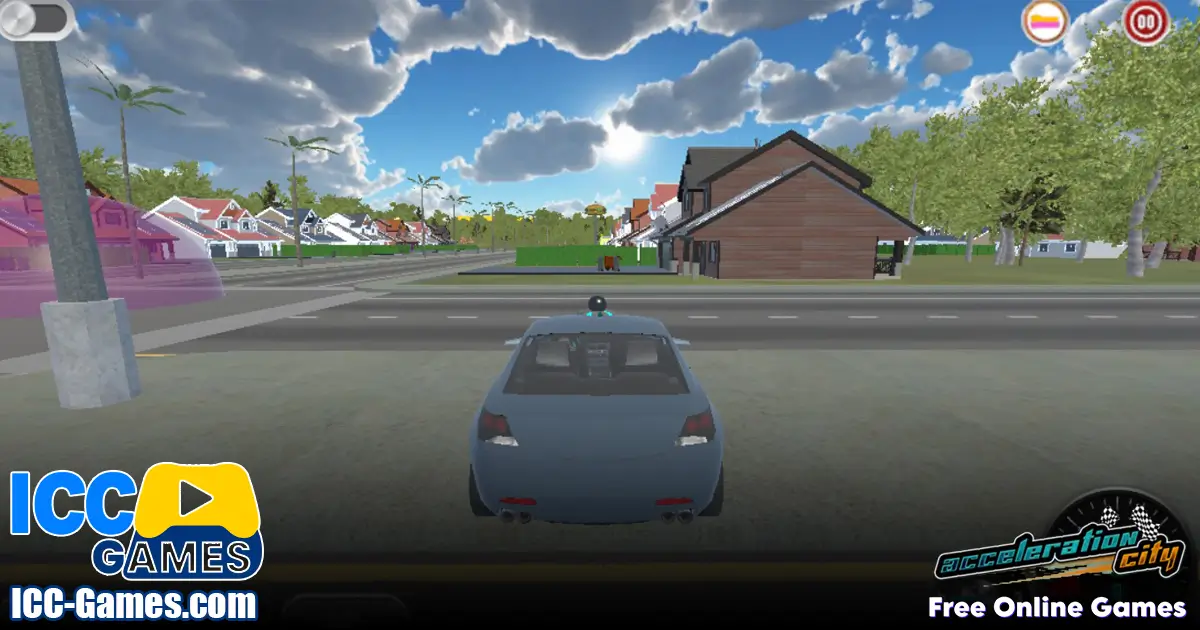


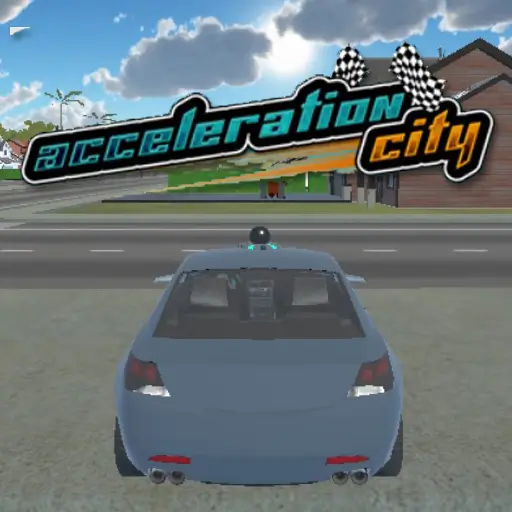

Play Acceleration City online for free and launch into a turbo-charged world where coding meets racing! Let’s dive in! In this playful, family-friendly adventure, you team up with your trusty Cobot companion to blast through wild terrains, program ramps on the fly, and collect adorable Minanimals. Whether you’re 7 or 14, get ready for action, stunts, and brain-boosting challenges that spark your creativity and STEM skills in the most exciting way!
About
Acceleration City is a browser-based STEM game designed to fuse high-speed racing with hands-on coding. Developed through a collaboration between Carnegie Mellon University researchers and young members of the Boys and Girls Clubs, this game brings robotic programming into a playful racing environment. You’ll choose from quirky vehicles, guide your Cobot sidekick to build jump pads or speed boosters, and grab Minanimals scattered across colorful tracks. It’s a perfect blend of fun, exploration, and learning—no prior coding knowledge needed!
Gameplay
How to play Acceleration City
Your mission in Acceleration City is threefold: race to checkpoints, collect Minanimals, and customize your playfield with code. Start by selecting a vehicle—each one offers unique speed and handling. Press forward to zoom ahead, then hit special colored zones to trigger your Cobot’s actions. Want a ramp? Code it. Need a boost pad? Program your Cobot to pop one up at the right moment. Strategic coding wins races and nets you rare Minanimals to complete your collection.
Controls
- Arrow keys or WASD: Steer and accelerate your vehicle
- Number keys 1–4: Select Cobot actions (ramp, platform, boost pad, stop)
- Spacebar: Activate special boost
- C key: Open coding interface to adjust Cobot triggers
Platforms
Where to play Acceleration City?
Acceleration City runs directly in your browser on desktop and laptop computers. No downloads, no installs—just open the game on this page and start racing. It’s fully compatible with Windows, Mac, and Chromebooks, so families and classrooms can enjoy seamless play without extra setup.
Release Date
Acceleration City release date
Acceleration City first launched in late 2019 as part of an educational research project. Since then, regular updates have added new terrains, coding challenges, and Minanimals to keep the fun fresh and engaging.
Game Story and Setting
Imagine a futuristic metropolis built for speed—skyscrapers curve into the sky, neon roads twist through clouds, and hidden tunnels reveal secret racing arenas. In this world, Minanimals—tiny robotic creatures—hold the key to unlocking advanced coding modules. As you dash through holographic forests and volcanic circuits, your Cobot partner learns and adapts, helping you design dynamic courses that defy gravity. The story unfolds through playful cutscenes and unlockable lore entries, making every race feel part of a grand STEM quest.
Game Modes
Acceleration City offers several ways to play:
- Story Mode: Follow a narrative arc, unlock new Cobot abilities, and discover hidden Minanimal habitats.
- Time Trial: Race solo against the clock, optimize your coding triggers for the perfect lap.
- Free Build: Create custom levels using the in-game editor—learn how to make your own level in Acceleration City and share it with friends!
- Code Challenge: Tackle specific programming tasks to trigger ramps or platforms under pressure.
Educational Value
More than just a racing game, Acceleration City teaches computational thinking through immediate feedback. When your Cobot executes a command at just the right moment, you see the impact of sequencing, loops, and conditional triggers—core coding concepts made tangible. Teachers and parents love how the game subtly introduces STEM principles while keeping kids fully engaged in high-octane fun.
Minanimal Collection
Scattered across every track are Minanimals—adorable robotic critters waiting to be discovered. Collect common Minanimals in forest circuits, rare ones near lava flows, and secret species in hidden tunnels. Each Minanimal unlocks a digital encyclopedia entry with fun facts about robotics and computer science, turning every discovery into a mini-lesson.
Cobot Programming Tips
Maximize your racing edge with these coding tricks:
- Plan ahead: Pre-set your Cobot triggers at strategic zones rather than coding on the fly.
- Use loops for repetitive tracks: Automate boost pads every 10 seconds to maintain top speed.
- Conditional triggers: Program your Cobot to deploy a ramp only when vehicle speed exceeds a threshold.
- Debug in Free Build: Test new code in sandbox levels before racing competitively.
Advanced Coding Challenges
Ready to level up? Try Acceleration City Hour of Code missions—structured mini-tasks that walk you through writing simple JavaScript commands. Or tackle community-shared puzzles in the Free Build gallery. For aspiring developers, these challenges serve as a stepping stone toward real-world programming.
Community & Events
Join the Acceleration City community on Discord and Google Classroom. Participate in monthly coding contests, themed race weekends, and Minanimal hunt events. Winners earn digital badges, new Cobot skins, and exclusive access to beta features in Acceleration City 2 development streams.
Tips for Playing Acceleration City
Acceleration City tips and tricks
- Start with ease: Play beginner tracks to get comfortable with coding triggers before tackling advanced circuits.
- Balance speed and code: Over-coding can slow your car. Use minimal commands for maximum effect.
- Map the track: Walk through new levels in Free Build to spot optimal boost pad locations.
- Share and learn: Exchange code snippets with friends to discover hidden shortcuts.
- unblocked thrills: Looking for fresh challenges? Search “Acceleration City unblocked at school” to find community-created icy circuits perfect for winter play.
Reviews and Ratings
Acceleration City reviews
Players rate This Racing Game highly for its unique blend of racing and coding. On CS-STEM Network, it maintains a 4.7/5 average across hundreds of reviews, with praise for intuitive controls and educational value. Families applaud its safe browser environment, while teachers highlight its seamless classroom integration.
User Ratings
- SpeedRushGamer: ★★★★☆ – “Thrilling tracks, clever coding puzzles, perfect for STEM beginners.”
- CodeNinja45: ★★★★★ – “Loved how my students learned loops and conditionals without noticing!”
- RacingMom23: ★★★★☆ – “Great family game night choice—easy to pick up, hard to master.”
Features
- Real-time Cobot coding for dynamic track alterations
- Collectible Minanimals with educational encyclopedia entries
- Multiple play modes: Story, Time Trial, Free Build, Code Challenges
- Hour of Code integration for step-by-step learning
- Cross-platform browser play: no downloads or installs required
- Active community events and coding contests
- Accessible design for ages 7–14 with clear tutorials and hints
Acceleration City download
iOS (App Store)
Acceleration City does not currently have an official iOS app. For a similar high-speed coding adventure on iPhone or iPad, check out:
Download CarX Street on App Store
Android (Google Play)
Acceleration City is browser-based and not on Google Play. If you want the thrill of street racing on Android, try:
Download Racing in City: In Car Driving on Google Play
Recommendation
I recommend downloading these official apps for a smooth, secure racing experience on your mobile device.
Acceleration City download PC
You don’t need to download anything to play Acceleration City on PC. Simply stay on this page, click “Play,” and dive into the action—no registration, no installations required.
Acceleration City APK
Since the game is browser-based, there’s no APK. It’s best to stick with official browsers to avoid unverified files, piracy risks, or viruses.
Acceleration City similar games
- Drift Hunters Max
- merge round racers
- Super Star Car
- Traffic Jam 3D
- Zillah City: Fall of the Toxibots
- Super Slime Battle
- M-acceleration
- Crash of Cars
- City Car Stunt 4
FAQ
What is an acceleration city?
An Acceleration City is a virtual STEM world where players race vehicles and program robotic companions (Cobots) to build dynamic tracks, collect Minanimals, and learn coding principles through interactive gameplay.
What are the future plans for Acceleration City?
Future updates include new terrains like Cyber Desert, advanced Cobot AI routines, seasonal coding challenges, and an expansion titled Acceleration City 2 featuring multiplayer races and custom level sharing.
Is Acceleration City a smart city?
While themed as a futuristic smart city, Acceleration City is a game environment designed for education and entertainment, not a real-world urban infrastructure.
Is City Racing 3D offline?
No, City Racing 3D requires an internet connection to load tracks and sync leaderboard data. However, Acceleration City runs entirely in your browser without extra downloads.
What is the fastest car in Acceleration City?
The HyperFlux racer is the top-speed vehicle unlocked in Story Mode. It features advanced acceleration coding triggers and excels on straightaways but requires precise handling on curvy circuits.
Conclusion
Acceleration City offers a one-of-a-kind blend of coding puzzles and high-speed racing, making STEM learning super fun. With endless replay value, creative coding challenges, and a vibrant community, it’s the perfect game for kids ages 7–14 and families alike. Get ready to collect Minanimals, outsmart your opponents, and become a coding champion in this colorful, futuristic world.
Are you ready to score big? Play Acceleration City now and lead your team to victory!

(6 votes, average: 4.67 out of 5)