

 Loading...












Epic City Driver is a fast and colorful browser racing game that drops you into busy city streets filled with rival cars, power-ups, and quick decision-making. Instead of focusing on realistic simulation, it goes for pure arcade fun. You race against computer drivers, grab helpful boosts, and try to reach the finish line first while keeping control in a lively 3D city setting.
That makes it a strong pick for casual players who want quick races without learning a complicated control system. The action feels easy to jump into, but staying ahead of the pack takes timing, awareness, and smart use of power-ups. If you enjoy city racing games with simple controls and light arcade chaos, this one has a lot to offer.
In this updated guide, you will learn what Epic City Driver is, how the gameplay works, where you can play it, whether it has an official mobile version, and which similar driving games from ICC Games are the closest match.
About Epic City Driver
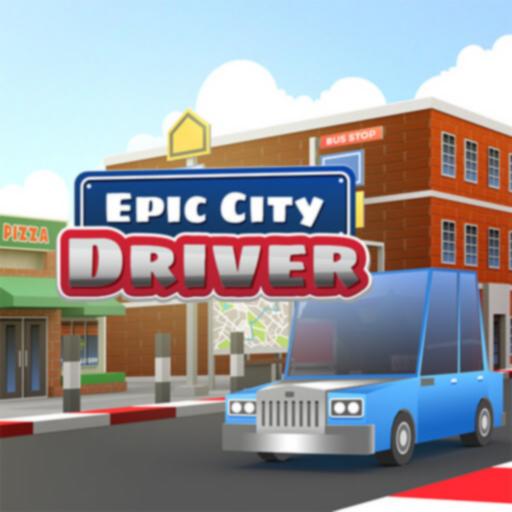
Epic City Driver is an arcade-style racing game built around short, energetic races in a bright city environment. The main goal is not to explore an open world or complete a long career mode. Instead, you compete against a small group of AI racers, collect useful power-ups, avoid hazards, and push for first place.
The game stands out because it mixes simple controls with playful race features like rockets, shields, and other track pickups. That gives each race a more chaotic and exciting feel than a basic point-to-point driving game. It is easy to understand, but there is still enough movement, competition, and track pressure to keep players engaged.
For students, kids, and casual gamers, that quick-start design is a big advantage. You can begin playing in a few seconds, enjoy a race or two, and still feel like something exciting happened without needing a long tutorial.
Gameplay
The gameplay centers on short city races against AI opponents. You guide your car through turns, stay on the road, use power-ups at the right time, and try to cross the line ahead of everyone else. Because the races are fast and the city roads stay active, players need to keep watching both the track and nearby rivals.
Power-ups are a big part of the fun. Some help you go faster, some protect your car, and some make it harder for other racers to stay in front. That gives Epic City Driver a more playful, arcade-focused style than a realistic driving simulator.
The 3D city setting also adds energy to the races. Roads, corners, and traffic-like movement make every run feel busy. The controls stay approachable, but the action remains lively enough that each win feels earned.
Platforms
Epic City Driver is mainly available as an HTML5 browser game. That means you can usually play it online without installing a large file or using a traditional game launcher. On most sites, the game runs directly in a web browser.
Desktop and laptop play tend to offer the smoothest experience, especially for players who prefer keyboard controls during races. Some browser versions are also playable on mobile web, but performance and layout can depend on the device and the site hosting the game.
As a result, the safest description is simple: Epic City Driver is best treated as a browser-first racing game.
How to Play Epic City Driver
Getting started is easy, but winning races takes a bit of awareness. The core idea is to stay in control, use the track well, and make the most of the helpful items you collect.
- Start the race: Launch the game in your browser and wait for the race to begin.
- Drive through the city: Follow the road, react to turns, and avoid losing speed through bad positioning.
- Race against AI drivers: You are not alone on the track, so staying ahead matters from the very beginning.
- Collect power-ups: Pick up helpful items such as boosts, shields, or offensive tools when they appear.
- Use items at the right time: Good timing can protect your lead or help you recover if you fall behind.
- Finish in first place: The main goal is to beat the rival cars and win the race.
New players usually do best when they first focus on keeping the car stable. Once that feels comfortable, power-up timing becomes much easier to manage.
Controls
Controls can vary slightly depending on the host page, but most versions follow a simple arcade setup.
- Arrow keys or WASD: Drive and steer your car through the race.
- Action key: Use collected power-ups when the game prompt allows it.
- Keyboard play: A physical keyboard is usually the easiest way to control the car cleanly in tighter moments.
If you are using a phone or tablet browser, the game may adapt to touch input on some sites, but desktop play is generally the more reliable option for fast reaction racing.
Tips for Playing Epic City Driver
Epic City Driver is simple to learn, but a few good habits can make a big difference in race results.
- Stay smooth in corners: Wild steering can cost speed and position, so take turns with control instead of panic.
- Do not waste power-ups: A boost used on an open stretch or a shield saved for pressure moments is usually more useful than random activation.
- Watch your rivals: Since you are racing AI opponents, track position matters almost as much as your raw driving line.
- Protect first place: If you get into the lead, drive cleanly and make it harder for opponents to catch back up.
- Learn item timing: The more familiar you get with when to use rockets, shields, or boosts, the more consistent your finishes become.
- Practice short sessions: Quick repeat races are a good way to improve because the game is built around fast, replayable rounds.
One of the best beginner strategies is to focus on consistency first. Winning with clean driving is often easier than trying to play too aggressively in every race.
Features of Epic City Driver
- Arcade city racing: Fast races in a bright 3D city setting keep the action moving.
- AI competition: Rival drivers give each race a clear goal and more pressure.
- Power-ups: Boosts, shields, and attack items make races more dynamic.
- Easy controls: The game is simple enough for casual players to understand quickly.
- Browser convenience: HTML5 support makes it easy to jump in online.
- Replay-friendly design: Short races encourage players to try again and improve.
- Kid-friendly presentation: The colorful visuals and simple setup make it approachable for younger players, with normal parental supervision for online browsing.
Download Epic City Driver on Android and iOS
The exact game Epic City Driver does not currently appear to have a clearly verified official listing on Google Play or the Apple App Store under that exact title. It is much easier to find as a browser-based HTML5 game than as an official native mobile app.
That means players looking for the same game on Android or iPhone should be careful not to assume that a similar name on an app store is the exact same title. For most players, the browser version is still the clearest way to access Epic City Driver itself.
Best Android and iPhone Alternatives
- Street Racing 3D Drift (iOS) – A close alternative for players who like quick city racing and drift-focused arcade action. App Store
- Turbo Driving Racing 3D (Android) – A strong mobile choice if you want fast arcade driving through city-style roads with simple pick-up-and-play controls. Google Play
- City Racing 3D (iOS) – A helpful option for players who mainly want straightforward mobile city racing with accessible handling. App Store
- Racing in City: In Car Driving (Android) – A good fit for players who enjoy urban driving speed, traffic pressure, and quick arcade-style sessions. Google Play
Similar Games to Epic City Driver
If you enjoy city racing, speed, and quick driving challenges, these are the closest matches from the approved ICC Games list:
- Crazy Cars – Similar because it focuses on arcade car action, fast movement, and accessible racing fun.
- Traffic Tour – A strong match for players who like city-road driving, traffic awareness, and high-speed runs.
- Super Star Car – Great for players who want more racing competition and track-focused car control.
- Drift Hunters Max – A good alternative if your favorite part is car handling and drifting.
- Madalin Stunt Cars 2 – Best for players who enjoy driving freedom, speed, and flashy car action.
- Escape Road City – A close city-driving pick with fast reactions, urban movement, and arcade pressure.
Watch Epic City Driver Gameplay
Want to see how the game works before you start? This gameplay video gives you a quick look at the action, controls, and fun style of the game.
Watching a gameplay video can help new players learn faster and feel ready to play.
FAQ About Epic City Driver
Is Epic City Driver free to play?
Yes, Epic City Driver is generally available as a free browser game on sites that host HTML5 racing games.
What kind of game is Epic City Driver?
It is an arcade racing game set in a 3D city environment where you compete against AI drivers and use power-ups during races.
Can I play Epic City Driver on mobile?
Some browser versions may run on mobile devices, but desktop or laptop play is usually the smoother option for control and visibility.
Does Epic City Driver have power-ups?
Yes, power-ups are one of the game’s main features. They help make races faster, more chaotic, and more exciting.
Is Epic City Driver safe for kids?
The game’s racing action and presentation are generally family-friendly, but parents should still supervise younger children during normal web browsing and game-site use.
Do I need to download Epic City Driver?
No, the game is mainly found as a browser-based HTML5 title, so it usually works without a traditional download.
Conclusion
Epic City Driver is a lively arcade racer that keeps things simple, fast, and fun. With colorful city tracks, rival cars, and helpful power-ups, it delivers quick racing action without making the controls feel too heavy or complicated.
If you enjoy browser driving games that are easy to start and fun to replay, Epic City Driver is a great one to try and come back to whenever you want another speedy city race.