

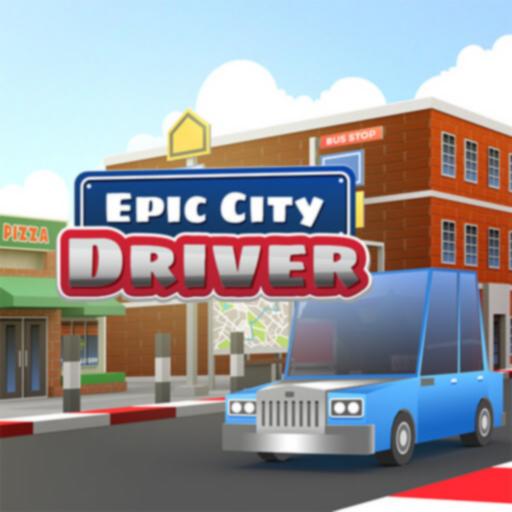
Epic City Driver



Epic City Driver
Epic City Driver is a fast-paced arcade racing game that puts you behind the wheel for quick, energetic races through a vibrant 3D city. Players compete against AI opponents, collect game opportunities, and aim to cross the finish line first using simple and approachable controls.
For more browser games in the same style, visit the 🏎️ Driving Games category.
Contents
hide
About Epic City Driver
Epic City Driver focuses on short, exciting races in a bright urban environment. Rather than a realistic driving simulator or an open-world experience, the game offers arcade-style competition against a small group of AI racers. Players navigate city roads, avoid hazards, and use game opportunities like boosts and shields to gain an edge.
The game’s accessible controls and lively race features make it ideal for casual players seeking fast, replayable racing without complex mechanics. Each race is designed to be engaging and easy to start, with enough challenge to keep players coming back for more.
How to Play Epic City Driver
- Start the race: Open the game in your browser and wait for the countdown to finish.
- Drive through the city: Steer your car along the track, taking turns carefully and maintaining speed.
- Race against AI opponents: Keep an eye on rival cars and position yourself to stay ahead.
- Collect game opportunities: Pick up items like speed boosts, shields, and offensive tools scattered on the track.
- Use game opportunities strategically: Activate boosts and defenses at the right moments to protect your lead or catch up.
- Finish first: Your goal is to cross the finish line ahead of all competitors.
Controls
Controls are straightforward and usually involve keyboard input:
- Arrow keys or WASD: Steer, accelerate, and brake your car.
- Action key (varies by host): Use collected game opportunities when prompted.
On some platforms, touch controls may be supported, but playing on desktop or laptop with a keyboard generally provides the best experience for quick reactions and precise driving.
Gameplay Features
- Arcade-style city racing: Fast-paced races set in a colorful 3D urban environment.
- AI competitors: Race against computer-controlled drivers with varying behaviors.
- game opportunities: Collect and use boosts, shields, and offensive items to influence race outcomes.
- Simple controls: Designed for quick learning and accessible gameplay.
- Browser-based: Play instantly in your web browser without downloads.
- Short, replayable races: Encourages practice and improvement in fast sessions.
Tips for Playing Epic City Driver
- Maintain smooth steering: Avoid sharp or erratic turns to keep your speed steady.
- Use game opportunities wisely: Save boosts and shields for critical moments rather than using them immediately.
- Watch your opponents: Position yourself to block rivals and anticipate their moves.
- Protect your lead: Once in first place, focus on clean driving to stay ahead.
- Practice timing: Learn when to activate rockets, shields, and boosts for maximum effect.
- Play short sessions: Frequent quick races help improve your skills and reaction time.
Epic City Driver Similar Games
These related games are selected from our own game sitemap because their titles match the same gameplay style:
- Racing Car Driving Car
- Real Extreme Car Driving Drift
- Driver Master Simulator
- Rush Car Driving Race Master
FAQ
Is Epic City Driver free to play?
Yes, Epic City Driver is free to play directly in your web browser on ICC Games and other sites hosting the HTML5 version.
What type of game is Epic City Driver?
It is an arcade – style racing game set in a vibrant 3D city, featuring fast races against AI opponents and the use of game opportunities.
Can I play Epic City Driver on mobile devices?
The game runs in modern web browsers and may support touch controls on some devices, but desktop play with keyboard controls is generally recommended for the best experience.
What controls do I use to play Epic City Driver?
Most versions use the arrow keys or WASD for steering and acceleration, with an action key to use game opportunities when available.